Traktor Overlay
Why is this needed?
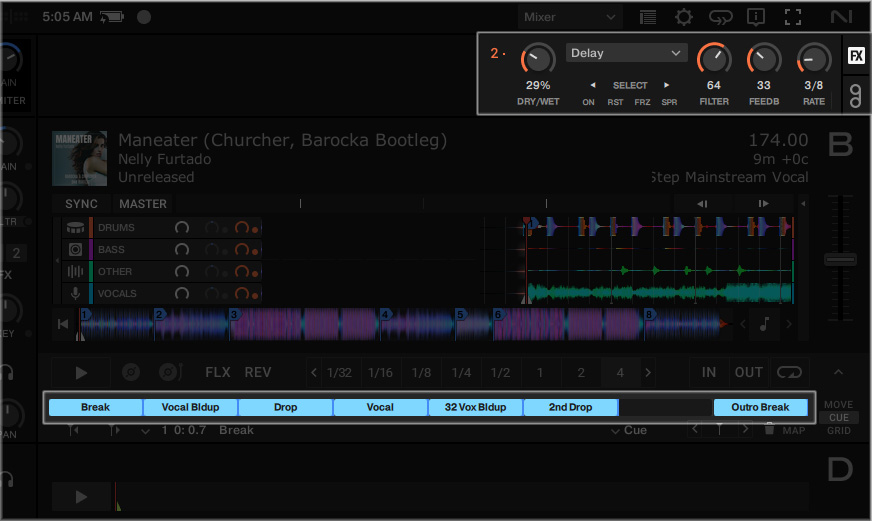
Traktor Pro does not display certain information within its software interface that is available on supported Native Instruments hardware controllers. This can make it difficult to monitor effect settings and other performance information when using a touchscreen, external display, or custom hardware setup.
Traktor Overlay provides this missing information directly on screen, allowing performers to view important controls and parameter values without relying on a specific controller display.
How does it work?
The application places a lightweight overlay above the Traktor Pro interface and updates its displayed values using information received from Traktor.
- Displays FX Unit information directly over the Traktor interface
- Shows effect parameter values
- Remains visible without interfering with normal Traktor operation
Planned Additions
- Hotcue names displayed directly over the Traktor hotcue buttons
- Preview Player controls
- Support for FX Units 3 and 4
- Group FX Mode support
- Pattern Player Mode support
- Touchscreen optimization
- User-configurable settings
- Support for additional screen resolutions
- Customizable overlay positioning and layouts
- Per-module enable and disable options
- Clickable hotcue labels and additional interactive controls
- Additional hardware mapping support
Installation
- Extract Folders:
Move the DesktopOverlay folder into: ..\Traktor Pro 4 - Overlay\Resources64\qml\Screens\
Move the S8 folder into: ..\Traktor Pro 4 - Overlay\Resources64\qml\CSI\ - Configure Display:
Set your desktop resolution strictly to 1920x1080. - Launch App:
Open Traktor and ensure the application window is fully maximized. - Add S8 mapping in Controller editor.
Project updates will be regularly available at TonyAlonso.Tech and on my Github.