The installation of the Battery Factory Library fails on Mac Os 26 and on Mac Os 15 when trying to install on an external hard drive.
We are working on a fix for that issue, in the meantime you can install it via the following workaround:
Download the library folder & unzip:
https://drive.google.com/file/d/1lNAur_fACMidaVcx_3vMfS8Y0_GZq-OD/view?usp=drive_link
Place the Battery 4 Factory Library folder in the default location: Mac HD > Users > Shared
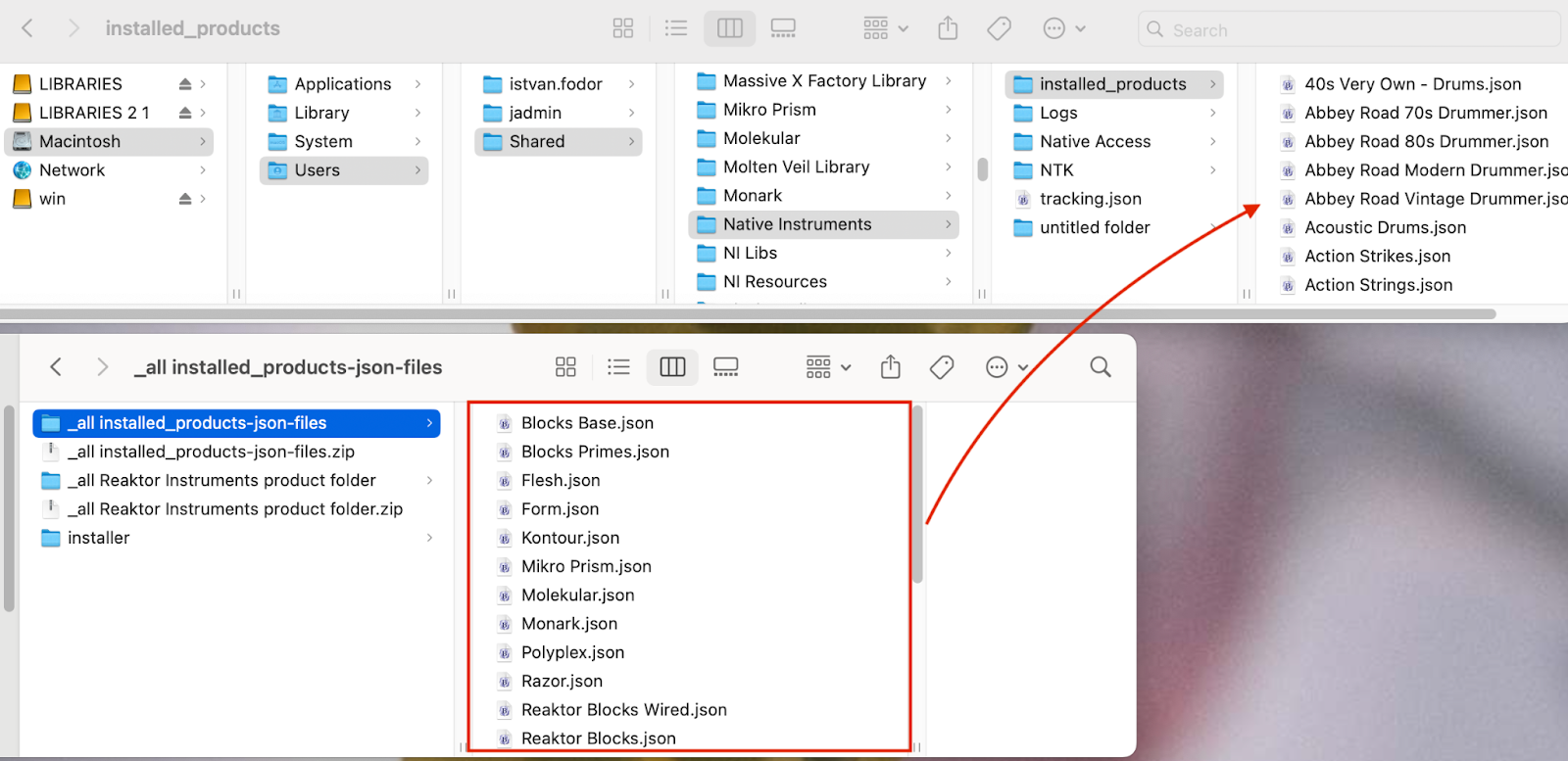
Download the installed_product-json file and unzip it:
https://drive.google.com/file/d/1k1tCOzhs2upSZFXju7sdd180iIL9D7KF/view?usp=drive_link
Move the json file to this location:
Macintosh HD > Users > Shared > Native Instruments > installed_products
Restart your computer and open Native Access
ISSUE IS NOW FIXED, you can download and install from Native Access.
