Best Of
My Maschine+ Wishlist
It's probably what everyone does after spending some time with a new device. I have asked a few question and received a few insightful answers so far, and I pondered the idea of getting rid of my M+ again because it simply doesn’t do a few things I cannot understand. Before I do that (or keep it around until I sell it off because I haven’t been using it in months) I would like to take the time and formulate a list of features that I would like to see in Maschine+ to make it into a device that can become a central piece of equipment in my workflow. Most of these things concern sample handling and processing as that’s my main area, but there are a few things related to playing stuff as well.
Generally, sampling on the Maschine platform is heavily underdeveloped. This was probably ok when Maschine was released in 2009 to compete with the 1000/2500 line of MPCs but it isn’t ok anymore today when almost every new sampler instrument has a better suite of sample manipulation tools on board.
Without further ado, here’s my wishlist (for standalone):
- Sampling: I really need Maschine+ to let me convert samples to mono, both as a sum and individual channels. The workaround of recording just left or right to mono does not work when I want to mono drumbreaks that are spread across the stereo spectrum. And even when I want to isolate left or right but want to use parts from both channels, having to record the sample twice is a clunky approach. Why not make a tiny mono/stereo plugin that lets users sum stereo signals and play individual channels as mono center sounds. Ableton has it and it takes barely any effort to make (for a company that made the other stuff that’s in Maschine).
- Sampling/handling: I really need access to my recorded samples from different projects in order to be able to reuse stuff I previously sampled in other projects, i.e. I need access to the Recordings folder, and I want to be able to rename samples and tag them right on the hardware. Maschine+ is not a computer where I can just go into the file system, copy a file and store it somewhere for further use. I think you really need to account for that (and other workarounds people have been using for years on the controller/software combo of Maschine).
- Related: I need to be able to duplicate a sample file (not just the sampler playing it) in the sample edit view in order to be able to manipulate and chop out bits and stretch them while retaining an unstretched version in the same project.
- Sampler instrument (perhaps an alternative to 3): It needs a realtime time stretch/warp feature baked in. The audio instrument doesn't do it because it lacks most of the playback features of the sampler instrument. Extra points for vintage emulation. Look at Koala sampler for how this can be done.
- Kontakt: Why on earth wouldn't you let us load patches that we have collected over the years, even if the lacks some of the bells and whistles? I have a collection of old rompler modules and I really like some of the bass sounds in them. They are not CPU heavy at all and I want to use them on another NI product that supposedly has a version of Kontakt in it. Strip away what M+ does not support and give a warning. But please let us decide if we want to live with the tradeoffs of playing patches on a light version of Kontakt. These files load in Ableton Sampler, but they don’t load on Native’s own Maschine+. Please do something about that. (And I get that you don’t want to overburden the hardware, so just add a RAM meter next to the CPU meter and put it in users’ hands.)
- Chord mode: It's a great feature but why on earth wouldn't you make it possible for users to make their own chord sets and load them into the Maschine? It's not even something that you're selling, so there's really no reason to add the ability to let users add their own chords.
That's it for the moment. Like I said, I love the hardware, and power wise it suits me fine. With that being said: I think it's also wise from a business perspective to strengthen Maschine’s sampling and sample manipulation capabilities as that is generally an area that is not as CPU heavy as playing a lot of synths. Look at what Roland has done with the SP 404 MK2 that is running on a toaster CPU. I bet Maschine could match that if they wanted to.
Generally, and I have said that elsewhere already, the Maschine+ feels a bit like an iPad would feel if Apple only let us consume their own services and apps. No Netflix and MS Word, but you can bring your own movies through the Video app, but only play them back in 480p, and you can also do word processing, but only in Pages and it doesn't support files made with iWork '09 or earlier (also you have to convert them on the computer beforehand). Approaches like these are perhaps ok in the inception of new gadgets, but they are a sign of incompetence in devices that are supposed to be mature devices that can be used for more than just fiddling around. You can make as many artist videos as you like, but you won't currently convince me that the M+ falls in the former category.
Ok, that's it for today. Back to my 404 to chop up some stuff...

Was the Maschine update nothing but a dream?
In early February, I remember an announcement from NI stating that some fantastic Maschine update full of impressive modifications we've all been waiting for was scheduled for early to mid March... Our hearts were full of hope and expectation. The wildest rumors circulated about what sensational changes would be included in the promised update.
Houston we have a problem! It is now April and I'm afraid we only have empty promises to update Maschine's software. I guess there is nothing we, "customarius vulgus" can do but wait and wait and once again, hope for the best...
 frawal
Re: Things you look forward to in fall 2022 🍂
And dear God...
An improved browser for Komplete Kontrol.
 nightjar
Re: Native Instruments Apple Silicon M1 Compatibility
Regarding the Apple Native compatibility of N.I. products, I just saw on the N.I. website that Komplete 14 is coming out soon, and that it'll be APPLE NATIVE.
Now, QUESTION FOR THE N.I. FOLKS hanging around here in the forum: What happens if I already own some of the old products like Battery 4, or FX like the Solid EQ or Replika that have now been made Apple Native for Komplete 14? Will I have access for free to these Apple Native versions since I already own them, or will I have to buy them AGAIN???
 NDEE
NDEE
Re: Tidal Integration
For me Tidal is also the best streaming service at this point. Better sound quality. Better artist support and payment. Cheaper to us users. And so on...
 Owner
Owner
Re: Absynth is dead
Please there's no need to get in each other's faces here. We have a thread with more information coming in a few minutes and we'd really appreciate if we kept this discussion constructive and respectful. Thank you
 Matt_NI
Denon LC6000 Screen Support
Just creating a post to request support for the Denon LC6000 Jog Wheel Screen. More specifically, jog position, artwork, loop length, and beat jump length.

Official update status - Komplete Kontrol (current version: 3.5.4)
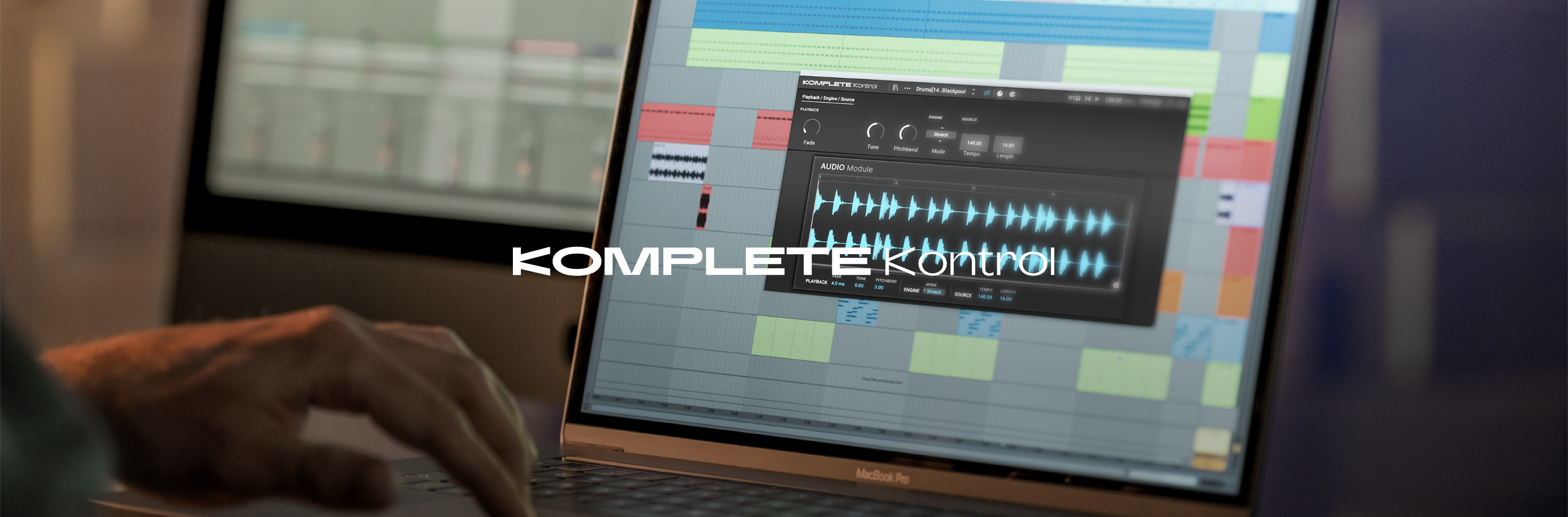
This thread provides information about upcoming patches for Komplete Kontrol. It will be updated whenever new information becomes available.
---------
The currently available software version is 3.5.4. Please make sure that your installation is up to date.
--------
3.5.4 - 2026-07-15
Minimum OS requirements:
- MacOS 14, 15, 26.
- Windows 10 (latest Service Pack), Windows 11.
ADDED NKS Connect support in Komplete Kontrol, starting with AKAI MPK mini IV as the first compatible partner controller
ADDED NKS Mode integration for compatible NKS Connect controllers, including hardware browsing, preset loading, parameter control, and parameter page navigation
FIXED performance issues when changing plug-in parameters from Kontrol S-Series MK3
FIXED an issue where Kontrol S-Series MK2 level meters could stop working in Cubase on Windows
3.5.3 - 2025-12-17
Minimum OS requirements: macOS 14, 15 (latest update), Windows 10 or 11 (latest Service Pack). Final testing for MacOs 26, cofficial compatibility coming soon.
ADDED Integration for Partner Hardware: Akai Professional MPK mini MK4
ADDED Sub banks are now displayed in the browser for 3rd-party products
ADDED User preset metadata can be edited in the browser
ADDED Temporary user interface workaround to reduce kernel panics when using high resolution monitors with macOS. We anticipate a permanent macOS-side fix to arrive via future macOS update(s).
FIXED Browser pre-hear volume not persistent across sessions
FIXED KKS MK2 accessibility does not pick up system settings (fixed for MacOS 14 Sonoma only)
3.5.1 - 2025-09-10
Minimum OS requirements:
- MacOS 13.
- Windows 10 (latest Service Pack), Windows 11.
FIXED Issue where Reaper Hangs
FIXED Performance issue cauing plugin parameters not to update smoothly
FIXED Plugin scanning failing for certain plugin vendors
3.5.0 - 2025-05-15
Minimum OS requirements:
- MacOS 13.
- Windows 10 (latest Service Pack), Windows 11.
ADDED Integration of Partner Hardware: Arturia KeyLab mk3, Arturia KeyLab Essential mk3, Arturia MiniLab 3
IMPROVED Browser preview speed while using arrow keys to navigate the preset list
FIXED UI resizing loop that could occur when moving the Komplete Kontrol UI between monitors
FIXED UI scaling issue on Windows when setting a monitor scaling greater than 150%
FIXED Issue where some VST2 plugins did not appear in the plugin list on platforms that still support VST2 plugins
3.4.1 - 2025-03-27
Minimum OS requirements:
MacOS 13.- Windows 10 (latest Service Pack), Windows 11.
FIXED Komplete Kontrol freezing in Reaper with certain NI plugins loaded
FIXED issues stopping several NKS products from showing in the browser
FIXED a freeze during plugin scanning
FIXED Update the scanning splash screen to provide more info on progress
FIXED modal dialogues blocking UI in Logic Pro
FIXED NKS hardware partner naming fixed
FIXED Updated controller scripts included for Maschine+
3.4.0 - 2025-02-20
Minimum OS requirements:
- MacOS 13.- Windows 10 (latest Service Pack), Windows 11.
ADDED Integration of Partner Hardware (Akai Professional, M-Audio, Nektar, Novation and Korg)
ADDED 3rd-party hardware product tag filtering
ADDED Parallel plug-in scanning
ADDED Ability to load MP3, MP4, FLAC, OGG
ADDED Show controller mapping help guide
ADDED New notification widget in the Browser and Midi Template view
ADDED Preference option to opt out of using specific plugin formats (only for VST3, VST2 will follow for Intel systems)
ADDED MIDI learn and 3rd-party hardware browser in separate tabs
ADDED Can now use native macOS close button for Komplete Kontrol standalone
ADDED Kontrol S MK3 keyboard connection compatibility updated
FIXED Minimising and maximising Komplete Kontrol with Massive X hosted in Windows leads to graphical glitches
FIXED Tempo label in the header is visually offset in plugin
FIXED Browser window is cropped sometimes when reopening plugin
FIXED Third-party plugins could start at the wrong size
FIXED A crash that would happen in some cases where users did not have plugins to load in Komplete Kontrol
FIXED Quick browse fixed for all supported keyboards
3.3.4 - 2024-12-10
FIXED An issue that would cause Kontakt 7 and other plugin UIs not to load correctly when closing and opening them
3.3.3 - 2024-09-24
ADDED Compatibility for Kontrol Mk3 ondevice smartplay features
ADDED New Sampler and Audio modules assets
FIXED Sampler and Audio module not loading correctly when loaded from the browser in the desktop software
3.3.2 - 2024-08-08
FIXED An issue with text entry intercepting and blocking keyboard shortcuts.
3.3.1 - 2024-08-02
FIXED Issue that caused connection issues for some Kontrol A, M and SMK2 keyboards.
3.3 - 2024-08-01
ADDED Support for latest version of Kontrol S MK3 OS 1.7
ADDED Quit button for macOS standalone application
ADDED Komplete Kontrol now supports parameter ID remapping as defined in VST3 SDK
3.2.1 - 2024-03-25
FIXED Issue causing an erroneous disconnection error message to display in Studio One when used with Kontrol S MK3
FIXED Issue causing no user interface to display for certain VST3 plug-ins in Ableton Live (Please update to the latest version of any affected plug-ins, and also perform a plug-in rescan in order to properly evaluate this fix)
3.2.0 - 2024-03-05
ADDED Sonoma Compatibility
ADDED VST3 Toggle parameters with “isBypass” flag set show up as power buttons on Kontrol MK3
ADDED Publishing of unmapped plugin parameters for automation
FIXED KK PluginEditor has wrong position after moving to different screen
FIXED Lightguide unexpectedly resets when loading presets from NKS partner plugins
FIXED In LOGIC, the KPI view is drawn on top of rest of KK UI when scrolling
FIXED HiDPI issues on Windows in the Plug-in view when moving KK to different screen
FIXED Cubase Flicker And Crash When Focusing On Another App and Back Again
FIXED Enter search text not responding when browser is resized in Logic
3.1.2 - 2024-02-13
FIXED An issue causing a crash in Cubase when showing/hiding user interface(s)
3.1.1 - 2024-01-29
FIXED An issue causing an empty black window in Logic Pro
FIXED An intermittent crash when showing or hiding the user interface on Windows 10 and 11
3.1.0 - 2023-12-18
ADDED The Komplete Kontrol browser can now be resized
ADDED The design of the MIDI learn parameter menu has been updated to match the rest of the application
ADDED The icon of the plugin scanner has been updated to the latest version
FIXED An issue where the Decay parameter of the Sampler was falsely stated as Demo
FIXED An issue that lead to delayed response when adjusting parameter knobs for some Arturia plugins
FIXED An issue that lead to empty lines showing in the MIDI-learn parameter menu
FIXED An issue that lead to NKS2 resources not being identified correctly on case sensitive file systems
FIXED A bug on Windows that resulted in a white bar appearing when the menu is opened
3.0.3 - 2023-11-21
Minimum OS requirements:
- MacOS 12, 13.
- Windows 10 (latest Service Pack), Windows 11.
FIXED NKS2 plug-ins made with JUCE are not detected as NKS2 plug-ins
3.0.2 - 2023-11-03
Minimum OS requirements:
- MacOS 12, 13.
- Windows 10 (latest Service Pack), Windows 11.
NOTE: VST2 is removed when installing on Windows. If you wish to keep the VST2, please copy the plug-in and move it back to your plug-in folder after installing Komplete Kontrol 3. All users should stop using the VST2, as it will be phased out in the coming months.
FIXED Some users experiencing CPU spikes when using Komplete Kontrol in large DAW projects without having the Kontrol Mk 3 NIHardwareConnectionService installed
FIXED A bug that led to more RAM being used than required, affecting users with a large amount of Komplete Kontrol instances in a DAW project
FIXED The Komplete Kontrol Sampler and Audio module parameters jumping values when being selected from Kontrol Mk3 keyboards
FIXED Unable to name sections in Native Map when users created NKS1 user presets
FIXED One-shot and Loops not appearing in the correct section of the browser
3.0.1 - 2023-10-26
Minimum OS requirements:
- MacOS 12, 13.
- Windows 10 (latest Service Pack), Windows 11.
NOTE: After updating for the first time, please ensure to open the standalone version of Komplete Kontrol 3 and allow a full plug-in scan to complete. This change is necessary to enable Komplete Kontrol 2 and Komplete Kontrol 3 instances to work on the same computer.
Note long-term support of this solution is not possible, and all users should switch to VST3 over VST2 wherever possible.
NOTE: VST2 is removed when installing on Windows. If you wish to keep the VST2, please copy the plug-in and move it back to your plug-in folder after installing Komplete Kontrol 3. All users should stop using the VST2, as it will be phased out in the coming months.
FIXED Komplete Kontrol 2 VST2 not loading in DAW projects after installing Komplete Kontrol 3
FIXED Lightguide not working for some VST2 NKS1 plug-ins
3.0.0 - 2023-10-12
Minimum OS requirements:
- MacOS 12, 13
- Windows 10 (latest Service Pack), Windows 11NOTE: Komplete Kontrol 3 is no longer compatible with Kontrol S MK1 keyboards. Users of Kontrol S MK1 should not update. Kontrol S MK1 remains compatible with Komplete Kontrol 2.9.ADDED Support for NKS 2
More info on Komplete Kontrol S MK1 End Of Life HERE
ADDED Support for Kontrol S MK3 controller keyboard
ADDED Support for HiDPI mode(s)
ADDED Support for host plug-in resizing
ADDED New Visual Browser
ADDED Support for VST3ParameterInfo, which is displayed on the Kontrol S MK3 keyboard
ADDED Ability for the Play Assist ARP to respond to channel pressureFIXED Crash when scanning Waves plug-ins
FIXED Crash on shutdown if plug-in could not be loaded
FIXED Crash when loading Ozone 10
FIXED Crash and UI glitch when loading Sampler or Audio windows, closing and reopening
FIXED Aftertouch data being filtered out when Play Assist ARP is enabled
FIXED First note in Logic does not play correctly
FIXED Kontrol S MK2 screens could become non functional after switching on/off
FIXED Broken scrolling in Sampler or Audio module
FIXED Adjusting parameters interfered with mouse cursor
FIXED Crash when duplicating Komplete Kontrol tracks in Logic Pro
FIXED Issue where Logic Pro would open projects with empty instances of Komplete Kontrol
2.9.4 - 2023-06-05
ADDED Support for moduleinfo.json location change in VST3 SDK 3.7.8
FIXED A crash when closing a Logic Pro session
FIXED A bug where Kontakt 6 migration would load an empty instance of Kontakt 7
2.9.3 2023-05-17
Minimum OS requirements:
- Mac OS: 11, 12, 13.
- Windows: 10 (latest Service Pack), Intel Core i5 or equivalent CPU, Windows 11.
FIXED Multichannel output not working in some DAWs
2.9.1 2023-03-30
FIXED Crashed that could occur when BROWSER+SHIFT simultaneously pressed on keyboard controller
2.9.0 2023-03-22
ADDED AAX plug-in running natively on Apple Silicon
FIXED Crash in Logic Pro when closing plug-in UI with speech engine enabled
FIXED Handling of MIDI program change messages with VST3 plug-ins
FIXED AAS plug-ins UI are blank after reopening UI in Live FIXED ScanApp crashes
2.8.1 - 2022-12-07
FIXED U-he plug-ins now migrate correctly to VST3
2.8 - 2022-10-31
ADDED Support for Native Silicon
ADDED Support for VST3 hosting
ADDED Support for VST migration. Opening a project that contains VST2s should automatically migrate to VST3 instances whilst preserving parameter settings. This feature is available for plug-ins that have added VST3 migration support.
FIXED Issue where Komplete Kontrol Browser freeze when browsing result lists with Previews ON on M1 ARM Computers
FIXED Miscellaneous reported bugs and issues
⚠️ M1 users might experience issues when loading this update the first time as M1 native means that any incompatible plug-in will not load. We made a dedicated post here:
Komplete Kontrol 2.8.0 update, M1 Native compatibility, VST2 to VST3 migration & compatibility
2.7.2 - 2022-05-16
FIXED S-Series MK2 displays non-responsive when editing Templates via MIDI Assignment Editor
FIXED Hardware non-responsive following installation via Native Access 2
2.7.1 - 2022-05-10
FIXED MIDI templates created in CONTROLLER EDITOR unavailable from KOMPLETE KONTROL S-Series MK1 keyboards
2.7.0 - 2022-03-29
ADDED VST3 plug-in target
FIXED - Dialogue box keyboard shortcuts Enter (accept / confirm) and Esc (cancel) not working on Windows
FIXED - VST plug-in UI cropped in Ableton Live
REMOVED - Automatic download of Sounds.com content in Browser
2.6.7 - 2021-12-21
FIXED Lag with Accessibility speech announcements
2.6.6 - 2021-12-09
ADDED Support for recently released & upcoming NI VST3 plug-ins (Massive, Massive X, Guitar Rig, Effects Series, Replika, Raum, RCs, VCs and more)
ADDED Windows 11 compatibility
ADDED macOS Monterey compatibility on Intel-based Macs, and M1 computers (using Rosetta 2)

Re: [Coming soon] Mark your calendar for KONTAKT 7
So now there will be 3 products with this style of browser: Massive X, Native Access 2, and Kontakt 7...
I wonder what that means, are we heading towards every major instrument having its own fancy browser or should we expect a browser like this in KK?
 D-One
D-One
Re: Absynth is dead
Hey folks. Absynth 5 is no longer part of the Komplete bundle. Of course some of you will be sad, some of you will be angry, it's understandable. Keeping this old synth up to date to modern standards was becoming a challenge, this without even bringing any improvement. Decision has been made to end it's sales and development to be able to focus on other tasks. You'll still be able to use it on Windows 10/11 or on Macs up to MacOS 12.
@MATAKAO Regarding FM8, Battery and Reaktor, these are still in Komplete and will get updates: