Best Of
[v1.6.1] MASCHINE PLUS/MK3/MIKRO MK3 Ableton Live 11+ & 12.1+ MIDI Remote Script
MASCHINE PLUS, MK3 & MASCHINE MIKRO MK3 total integration with Ableton Live 11+ & 12.1+ (Windows & Mac OS)
Introduction:
This Control Surface/MIDI Remote Script, providing total integration for Ableton Live 11, 12.1 and up, was exclusively built for MASCHINE MIKRO MK3, back in March 2021, but compatibility and same functionalities are now available and ready to use for MASCHINE PLUS & MASCHINE MK3, without support for the screens, 8x Encoders, 8x square buttons above the screens and other buttons not available on MASCHINE MIKRO MK3.
Several updates have been released since the first initial release and the continued development for this script will provide more future updates for new functionalities, fixes and improvements.
A brief overview of the main modes and their functionalities:
CLIP mode
- Launch Clip. Pad color will match with Live's Clip color.
- Create Clip and Record
- Duplicate Clip
- Double Clip content and length
- Delete Clip
SCENE mode
- Launch Scene. Pad color will match with Live's Scene color.
- Duplicate Scene
- Delete Scene
TRACK mode
- Select Track, Return Track or Master Track. Pad color will match with Live's Track color or white if muted or muted via solo.
- Create New MIDI or Audio Track
- Duplicate Track
- Delete Track
- Arm/Solo/Mute Track
METERING mode
- Visual feedback on pads for playback volume levels of up to 4x tracks, scrollable left/right to show more tracks' volume levels (4-columns visualization). 4x pads color (1 column) will match with Live's Track color.
DRUM mode
- Trigger up to 16x Drum Rack pads/chains, scrollable up/down for more pads/chains. Pad color will match with Live's Drum Rack pad/chain color or white if muted or muted via solo. Pad color will not match with Live's pad/chain color if Auto-Coloring is enabled.
- Auto-coloring for pads depending on pad/chain name, i.e.: "Kick" is colored in red (toggleable)
- Solo/Mute drum pads/chains
- Note Repeat
KEYBOARD mode
- Note triggering for MIDI Track. Pad color will match with Live's selected Clip color or selected Track color if no clip is selected, brighter color for root-note pads.
- Live 11's per-clip Scales and Root Note integration. Per-clip scale and/or root note changes from the hardware will reflect to Live, and vice-versa.
- Scale, Root Note, Octave up/down change from the hardware
- Note Repeat
SHIFT mode
- Undo/Redo
- Quantize/Quantize 50% with selected Clip's grid quantization
- Nudge left/right selected or all notes
- Clear selected or all notes
- Clear selected Clip's Envelopes
- Copy selected or all notes
- Paste copied notes
- Transpose up/down selected or all notes, keeping note in scale if Scale is enabled
- Octave up/down selected or all notes
EVENTS mode
- Similar visualization as KEYBOARD mode, to select notes of selected MIDI Clip
STOP mode
- Similar visualization as TRACK mode, to stop playing clip of multiple Tracks without stopping playback
- Stop clip for all the tracks without stopping playback
SOLO mode
- Similar visualization as TRACK mode, to solo multiple Tracks
MUTE mode
- Similar visualization as TRACK mode, to mute multiple Tracks
Other important functionalities include:
Transport control
- Play and Restart-Play
- Session and Arrangement Record
- Stop Playback
Note Repeat
- Touch-strip for rate change, default 1/16
- Auto-enable when touch-strip is touched
- "Pinned"-enable note repeat
Selected Track
- Change Volume with +/-1.0dB increments
- Arm/Solo/Mute
- Duplicate. If a clip is selected/focused, it will duplicate the clip, instead.
Miscellaneous
- Capture MIDI
- Toggle Automation arm
- Toggle Metronome
- Tap Tempo
- Change Tempo with +/-1.0 increments
- Change Swing amount of groove
- Show/Hide Live's Browser panel
- Toggle between Session or Arrangement View
- Toggle between Device or Clip Detail View
Installation, Usage, Changelog:
Please read Installation.pdf, User Manual pdf files and Changelog.pdf published at this forum thread, Interactive user manual can also be opened from the link below:
https://elton47.github.io/MMMk3-User-Manual/
Changelog will always be up-to-date on this forum threads' 3rd post
Notes:
This script is not for free, the development of this script continues for future updates, new features, improvements, support and bug fixes.
It is highly recommended to always use the latest version of this script.
The script requires the hardware to be on "MIDI Mode" (SHIFT + MASCHINE ICON button-press combination).
RESTART button is used for "SHIFT" operations, as we currently cannot assign any MIDI CC values for the physical SHIFT button.
Download:
You can purchase the script via PayHip (using PayPal or other payment methods PayHip offers for your country), from the following link or link-preview card:
Contact:
Feature requests, bug reports and other issues, please reply on this thread or contact me via email at: eltoni.memishi@live.com
Special Thanks:
To Sk8zOfficialMusic for featuring this script and publishing it on YouTube!

Maschine Deck
I would buy a Maschine so fast if I could see and operate one within a Traktor deck; so I can tailor sounds and midi patterns live with Maschine hardware, while having a cue, crossfade assign and everything that comes with being a Traktor deck. Bonus points if Link can follow DVS master.

remix deck - sample release
It would be great if the samples on the remix deck didn't cut themselves off when repeating the same sample. Could you implement the sample one-shot option that allows the sample to decay even when it is pressed multiple times.
If you implment this with the remix sample decay option in my other post it would be very userful.
 shamoo!
Re: [New release] Get more pro features with TRAKTOR PRO Plus
Nah, people are getting sick of that now. Netflix is losing subs like crazy.
And more importantly, this "subscription" doesn't get you Traktor 4 whenever it's out. It's just a bad model.

Re: Maschine software hangs while previewing kits - Bug (KBDSW-6977)
Same issue.
M1 Max. library resides on thunderbolt Glyph SSD. No audio interface other than MK3.
I do switch audio out regularly between, MacBookPro speakers, Built In (Apple headphones), and Airplay (Apple home pods). Maybe that's part of the secret sauce to instantiate the bug.
I have completely removed everything NI following the NI article, and reinstalled without success.
Currently working around the issue with either or of the methods below, both work:
1) reduce audio buffer size to less than 256, prevents crashing previewing patches in any way.
2) on startup or when loading a new project - hit browser - load whichever patch is currently selected. Once any patch has been loaded I can now scroll and preview any patches.
 Doobox
[Part 1] Learn how to use your Maschine MK3 in this Beat Making masterclass 🎥
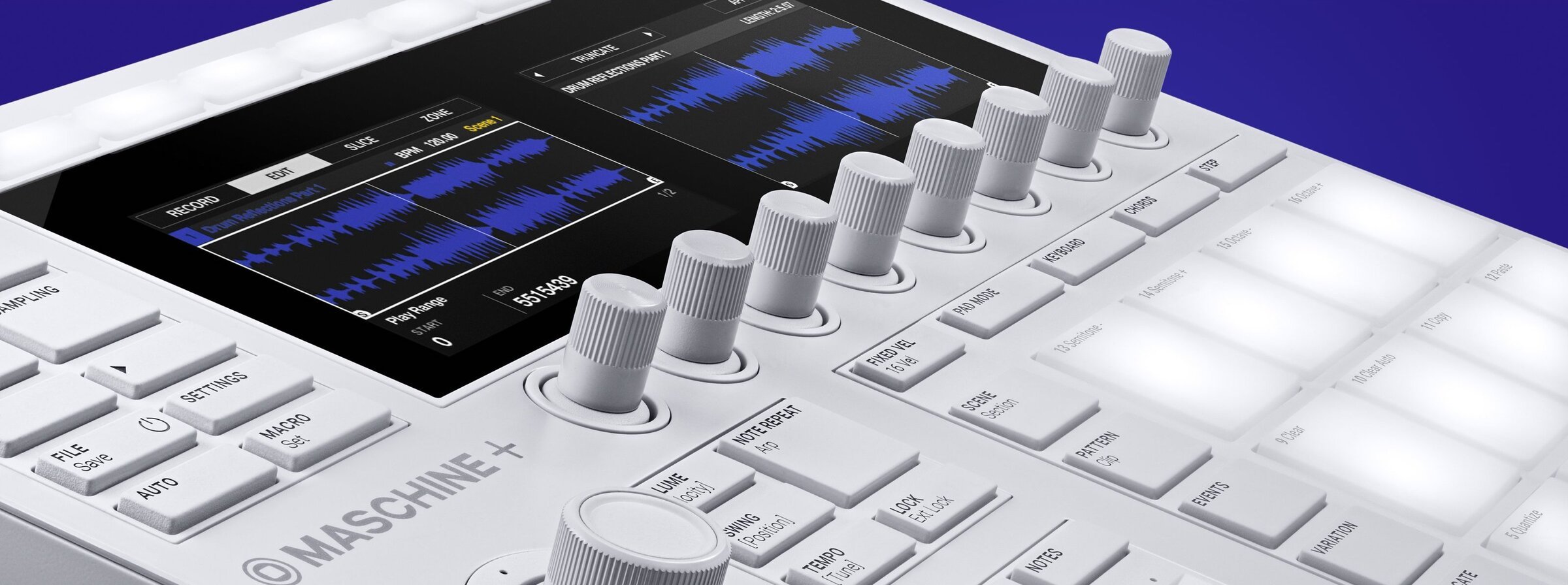
Our beloved product specialist Boris takes you through the ins and outs of the Maschine world, covering everything from setting up, getting started with creating, arranging and wrapping up your projects.
Discover below the themes included in part 1 ⬇️
Chapter 1 - Getting started
Learn how to download Native Access, register your MASCHINE MK3, download MASCHINE software from the Factory Library, connect your MASCHINE, set your preferences, and troubleshoot installation issues.
Find below some troubleshooting documentation and helpful resources:
Chapter 2 - The Maschine Controller
Learn about every button and knob on the MASCHINE hardware, including the velocity-sensitive pads, group buttons, encoder knobs, and more.
Chapter 3 - The Maschine Library
Learn how to browse sounds, load existing projects from the library, start a new project, load and erase sounds, layer loops and one shots, and save samples to your personal user library.
Useful support articles regarding Maschine Library:
Chapter 4 - Creating Rhythms
Learn how to use the Metronome, Auto-Length, Undo/Redo, Clear, Quantize, Swing, Pattern, and Note Repeat functions.
For a deeper dive on the Note Editing function check out Jeff Gibbons full tutorial:
Chapter 5 - Create Melodies and Chords
Learn how to activate keyboard mode in MASCHINE, use an external MIDI keyboard with your MASCHINE setup, change scales in Keyboard mode, add harmonies with Chords mode, transpose chords, and use the Note Repeat arpeggiator function.
Let Jeff Gibbons takes you through an in-depth exploration of the Chords Mode:
'How to Use Everything in Maschine part 1' is now available on our YouTube channel 👇
Let us know what was your key takeaway and don't forget to check out the part 2 for more tips and tricks ⬇️
 Nico_NI
Re: Traktor and SoundSwitch Lightning Support- a winner team for all
Hey Ryan,
Just take a look at the Denon forums or the Soundswitch user group on facebook.
No one is recommending Traktor because of this very reason (and no Denon support). Only Serato or VDJ (yuck!)
I use Serato with Soundswitch for my own private or corporate gigs. It's a no brainer, even if I have to put up with having two libraries across Serato and Traktor.
Traktor needs to start listening to the needs and wants of it's customers if it wants to stay relevant in this decade, by supporting emerging and current trends in the DJ community, rather than focusing on the pet projects of NI staff or big club DJs. Sorry if that sounds inflammatory, but that's how it looks on this side of things.
Because of integrations with Phillips Hue and Denon, Soundswitch is becoming more and more the lighting and DMX software of choice for mobile and bedroom DJs. No one cares for Rekordbox in this regard, only Soundswitch.
Many people have been requesting this feature now on the older forum for over a year. Please, please, please come around to our way of thinking :)
Cheers,
Lee

Feature request: Custom Hot Cue Colors
Will we ever get customer hotcue colors similar to VDJ, Serato, and Rekordbox?

Dynamic playlist like Traktor DJ 2
As evidence in Traktor DJ 2 the code is already there, can we get it ported to Traktor Pro 3
 Demus
Demus
My Traktor S4 Screen Hack Is Returning!
A lot of people will be happy to know that updates will be retuning to my Traktor S4 screen hack.
If anyone is unfamiliar with my work, here is an article from DjTechTools from a few years ago when moving waveforms and the browser was added.
The project now has probably 10 times the amount of features and controls now as well as a full overhaul of the controls to allow the S4 and hack to work in perfect synchronisation.
Sadly due to music production, DJ residencies and Traktor limitations updates slowed down. After a year using it properly in clubs (15+ hours a week) with no live crashes since its creation, I have had plenty of time to assess the project as a whole and will be updating several things as well as adding new features.
Joe
 Joe121